

Few advertising platforms can match the reach of Facebook and Instagram. Meta says its family of apps had 3.64 billion daily active people on average in September 2026. For businesses of every size, that makes Facebook ads one of the most powerful ways to find new customers, anywhere in the world.
But reach alone does not create profit. This beginner’s guide explains how to run Facebook ads in 2026: how Meta ads work, what they cost, which campaign objective to choose, how to target the right people, what creative works and how to track and scale results.
How do Facebook ads work?
Facebook ads are created in Meta Ads Manager and can appear across Facebook, Instagram, Messenger, Threads and Meta’s Audience Network. You choose a goal, a budget and who you want to reach, and Meta’s delivery system shows your ads to the people most likely to take that action.
Every campaign has three levels:
| Level | What you set | Example |
|---|---|---|
| Campaign | Your objective and, optionally, the overall budget | Sales campaign for your online store |
| Ad set | Audience, placements, schedule, budget and optimisation event | Women 25–45 in the UK interested in yoga, optimising for purchases |
| Ad | The creative people see: image or video, text, headline and call to action | A 15-second video showing your product in use with a “Shop now” button |
Ads are sold in an auction. Meta considers your bid, your estimated action rate (how likely people are to respond) and ad quality. That means relevant, engaging ads can win more often and pay less than weak ones.
How much do Facebook ads cost?
There is no fixed price. Costs depend on your country, audience, industry, season, objective and, above all, how well your ads perform. Competition is rising: Meta reported that its average price per ad increased 14% year over year in the third quarter of 2026, while ad impressions grew 10%.
Instead of asking “what does a click cost?”, work backwards from your business numbers:
- Know your margin: how much profit does one sale or customer bring?
- Set a target cost per result: the most you can pay for a lead or purchase and still profit.
- Start with a test budget: enough for the algorithm to learn, ideally aiming for around 50 conversions per ad set per week, the volume Meta recommends to exit the learning phase.
- Measure return on ad spend (ROAS): revenue divided by ad spend, judged alongside profit.
Which Facebook campaign objective should you choose?
Meta Ads Manager offers six campaign objectives. Choose the one that matches the action you actually want, because Meta optimises delivery towards it:
| Objective | Best for |
|---|---|
| Awareness | Reaching as many relevant people as possible and building brand recall |
| Traffic | Sending people to your website, app or WhatsApp conversation |
| Engagement | Video views, post engagement, messages and page interactions |
| Leads | Collecting sign-ups, enquiries and calls through forms, chats or your site |
| App promotion | Getting app installs and in-app actions |
| Sales | Driving purchases and other valuable conversions on your website or app |
Tip: if you sell online, start with the Sales objective once tracking is in place. Service businesses usually start with Leads.
How do you set up your first Facebook ad campaign in 7 steps?
- Create a Business Portfolio and ad account in Meta Business Suite, and add a payment method.
- Connect your Facebook Page and Instagram account so ads can run on both.
- Install the Meta Pixel and Conversions API and set up key events such as Purchase or Lead.
- Choose your objective and name the campaign clearly so it is easy to report on later.
- Define your audience and placements. Start broad with Advantage+ audience and placements, then refine with data.
- Create 3–5 ad variations using different hooks, formats and angles so Meta can find a winner.
- Launch, then wait. Avoid big edits for the first few days while the campaign is in the learning phase.
How do you target the right audience on Facebook?
Targeting has changed. Meta’s machine learning is now very good at finding buyers, so your creative and conversion data matter more than narrow interest stacks. The main options are:
- Broad or Advantage+ audience: set location, age and language, and let Meta find the best people. Often the most efficient choice for accounts with good tracking.
- Custom audiences: website visitors, video viewers, Instagram engagers and customer lists, ideal for retargeting.
- Lookalike audiences: people similar to your best customers, useful for new accounts with a solid customer list.
- Detailed targeting: interests and behaviours, best used as a starting signal rather than a strict limit.
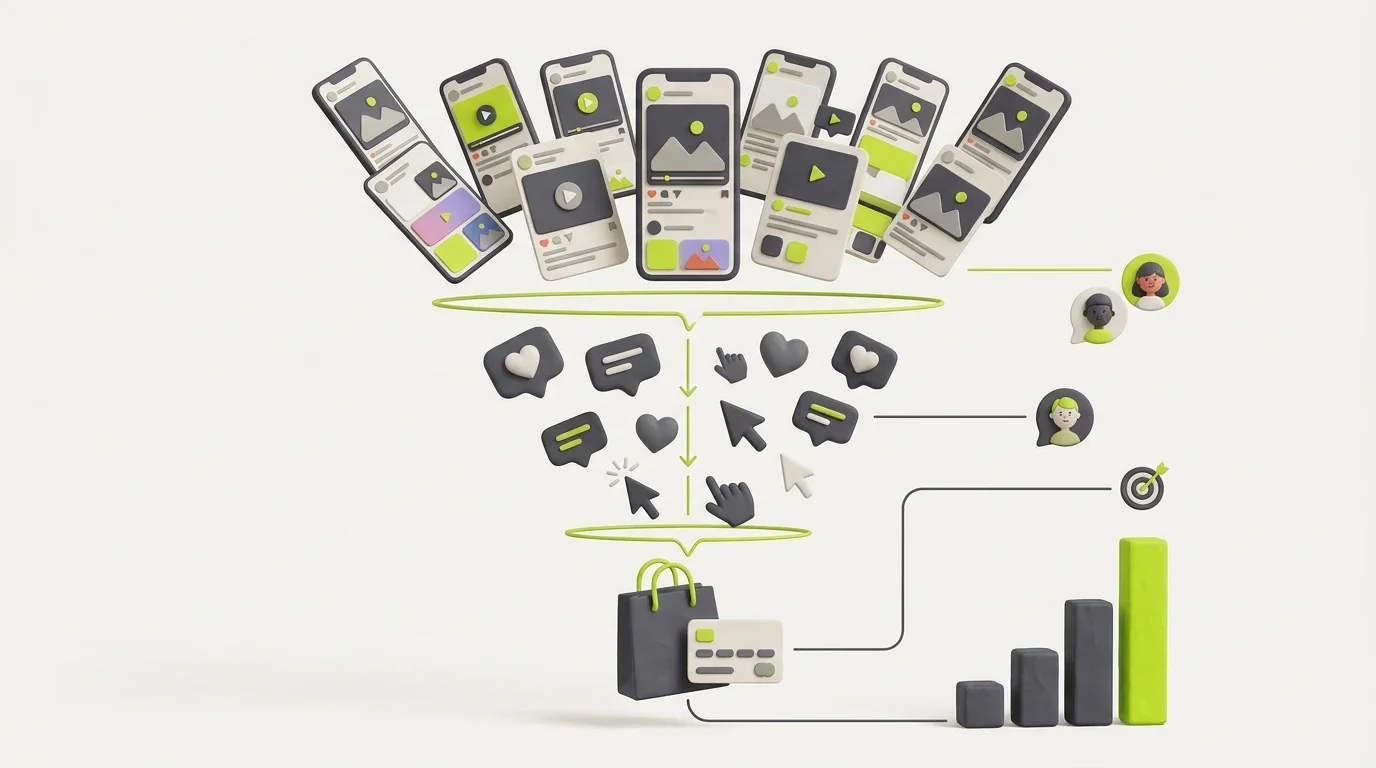
Think in a simple funnel: prospecting to new people, retargeting to those who engaged or visited, and retention offers for existing customers.
What Facebook ad creative works in 2026?
Creative is now the most important targeting lever. The ad itself tells the algorithm who it is for. Formats and ideas that consistently perform:
- Short vertical video: 9:16 Reels and Stories that hook viewers in the first two to three seconds.
- User-generated content: real customers or creators showing the product in use. See our creator marketing guide for how to source it.
- Clear offer and benefit: one main message, one call to action, and the price or offer when it helps.
- Carousels and catalogues: show several products or steps, ideal for ecommerce.
- Multiple angles: test problem-solution, testimonial, comparison and behind-the-scenes concepts.
Refresh creatives regularly. When frequency rises and results drop, your audience is tired of the ad, not of your brand.
How do you track results with Meta Pixel and Conversions API?
Without accurate tracking, Meta cannot learn who your buyers are. Set up both:
- Meta Pixel: a code snippet on your website that records page views, add-to-carts, leads and purchases in the browser.
- Conversions API (CAPI): sends the same events from your server or ecommerce platform, making tracking more reliable when browsers block cookies.
- Event deduplication: make sure the same purchase is not counted twice when both Pixel and CAPI send it.
- UTM parameters: tag your ad links so you can compare Meta results with Google Analytics.
Platforms such as Shopify and WooCommerce offer official Meta integrations that set up much of this for you.
How do you optimise and scale Facebook ads?
- Judge by business results, such as cost per lead, cost per purchase and ROAS, not likes or clicks alone.
- Turn off clear losers after they have spent enough to be judged, and keep testing new creative.
- Scale gradually, raising budgets on winning campaigns in steady steps rather than sudden jumps.
- Consolidate: fewer, larger ad sets usually learn faster than many tiny ones.
- Try Advantage+ campaigns once you have strong conversion data, letting Meta automate audiences and placements.
- Improve the landing page. Better conversion rates lower your cost per result instantly. Our conversion rate optimisation guide shows how.
Which Facebook ads metrics matter most?
Ads Manager shows dozens of columns, but only a handful tell you whether your ads are making money. Build a custom column view around these:
| Metric | What it tells you | What to do if it looks weak |
|---|---|---|
| Hook rate / thumb-stop rate | How many people stop scrolling to watch your video | Test new opening scenes, faces, captions and bold first lines |
| Click-through rate (CTR) | Whether the ad and offer are interesting enough to click | Sharpen the offer, benefit and call to action |
| Cost per result | What you pay for each lead, sale or other goal | Improve creative, audience signals and landing page |
| Conversion rate | How many visitors become customers after the click | Fix page speed, message match, trust signals and checkout |
| Frequency | How often the same person sees your ad | Refresh creative or widen the audience when it climbs and results fall |
| ROAS and profit | Whether the campaign actually makes money | Scale winners, cut losers and check margins, not just revenue |
Review these weekly rather than hourly. Daily swings are normal; trends over seven to fourteen days are what should guide your decisions.
What Facebook ads mistakes should beginners avoid?
- Boosting posts without a plan: the Boost button is simple but offers limited control over objectives and audiences.
- Choosing the wrong objective: a Traffic campaign brings clicks, not necessarily buyers.
- Skipping tracking: without Pixel and Conversions API, optimisation is guesswork.
- Editing too often: constant changes restart learning and raise costs.
- Running one ad for months: ad fatigue quietly kills performance.
- Ignoring ad policies: restricted claims in health, finance and other categories can get ads or accounts rejected.
Final thoughts
Facebook ads in 2026 reward businesses that keep things simple and measurable: pick the right objective, track conversions properly, let Meta’s targeting work with broad audiences and focus your energy on great creative and a strong landing page. Start with a focused test, learn from the data and scale what works. Combined with Google Ads and email marketing, Meta ads can become a reliable engine for growth in any market.
Want expert help? Explore our social media marketing services or contact us for a free Meta ads audit.